











Software downloads
20 result(s) :
PyroDAQ acquisition software
Download the DEMO version.
PyroDAQ Windows acquisition software comprising Real Time and Historical Viewer.
It can be used to record and process all data.
Includes drivers for recorder CA650 and Statop controllers, for quick settings.
Allows to record data on PC from any Modbus RTU or Modbus TCP slave.
Demo version allows real time recording for 1 hour.
The software needs a USB dongle to unlock to full version.
--------------------------------------------------------------------------------
PC with 1 GHz processor minimum, 512 MB RAM, 1 GB of free hard-disk space , Female Ethernet RJ 45 network socket / RS 232 serial port or RS485/RS232 converter
Operating system:
Windows XP, Windows Vista, Windows 7, Windows 8, Windows 2000 or Windows 2003 Server
| pyro_daq_v1.41b.zip | PyroDAQ 33 Mega |
SCOPEin@BOX_LE v1.06 software

- Communication via Ethernet, Wifi or USB, - Automatic detection of the instruments connected, - Zoom and complete trace in real time, - Keyboard shortcuts.
Your oscilloscopes
MTX162, MTX112.
System
- Windows XP/Vista/7.
- PC with Pentium IV processor or higher, 512 MB RAM, 10 GB HD equipped with a USB port and network output.
Languages
Version in 5 languages: German, English, Spanish, French and Italian.
The Didascopein@box software is installed automatically when you install Scopein@box LE.
| scopeinbox_le_v1.06.zip | Uploaded : 28/09/2016 Language : Multilingual Version : v1.06 |
SCOPEin@BOX v2.07 software
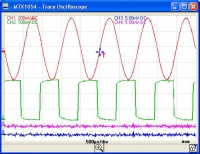
- Automatic detection of the instruments connected, - Better representation of the trace in the graphs, - Keyboard shortcuts, - Control of the LX1600 logic analyser probe.
Your oscilloscopes
- MTX1052C / MTX1054C,
- MTX1052B / MTX1054B,
- MTX1052 / MTX1054.
System - Windows XP/Vista/7/8.
- PC with Pentium IV processor or higher, 128 MB RAM, 4 GB HD equipped with a USB port and a network output.
Languages
Version in 5 languages: German, English, Spanish, French and Italian.
| Firmware |
| MTX1052/54B et MTX1052/54C : - Recover the file corresponding to the model to be upgraded, - unzip it, - use the "Software upgrade ..." option in the SCOPEin@BOX "Tools" menu. CAUTION: For MTX1052/MTX1054 models with v1.03, you must install version 1.04 before installing this version of SCOPEin@BOX. Procedure: - doswnload the x03127E00_v1_04.zip file below, - unzip it, - use the "Software upgrade ..." option in the SCOPEin@BOX v1.00 "Tools" menu, - follow the instructions on the screen, - when the upgrade has finished, uninstall SCOPEin@BOX v1.00, - then download the latest version of SCOPEin@BOX, - install the latest version. |
| scopeinbox_v2.07.zip | Uploaded : 27/09/2016 Language : Multilingual Version : v2.07 |
| x03127e00_v1_04.zip | Uploaded : 27/09/2016 Language : Multilingual Version : v1.04 |
| scopeinabox_1.0.zip | Version : v1.00 for the 3rd step of the firmware update |
DIDASCOPEin@BOX v1.00 software
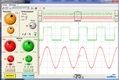
| - Training software for oscilloscopes, - Communication via USB, - Zoom and complete trace in real time, - Keyboard shortcuts. |
| Configuration |
| Your oscilloscopes MTX162, MTX112. System
|
| didascope_v.1.00.zip | Uploaded : 07/2022 Version : v1.00 |
Megohmmeter Transfer software
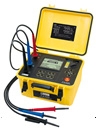
The Megohmmeter Transfer software can be used to control the C.A 6543, C.A 6547, C.A 6549, C.A 6550, C.A 6555 and the new 1kV megohmmeters C.A 6526, C.A 6532 and C.A 6534.
Megohmmeter Transfer is a tool for:

- Configuring the instruments,
- Downloading and viewing the data stored in the memory and then saving them (creation of a *.icp file)
- Performing instantaneous acquisition operations,
- Exporting the measurement data into DATAVIEW (*.dvb) files or an Excel spreadsheet (*.csv or *.xls files)

Caution: Dataview is not supplied with this version of MEGOHMMETER Transfer
| meg_v4.02.0071.zip | Updated : Nov 2019 Language : Multilingual Version : v4.02.0071 |
GTC Ground Tester Clamp software
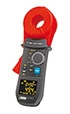
The GTC (Ground Tester Clamp) software can be used to control C.A 6417 communicating earth clamps.
GTC is a tool for:
- Configuring the instruments,
- Downloading and viewing the data stored in the memory and saving them (creation of a *.icp file)
- Perform instantaneous acquisition operations,
- Exporting the measurement data into DATAVIEW (*.dvb files) or an Excel spreadsheet (*.csv or *.xls files)
Caution: Dataview is not supplied with this version of GTC
| gtc_v1.02.0004.zip | Updated : Nov 2019 Language : Multilingual Version : V1.02.0004 |
EasyScope X software
Designed for the DOX Series of METRIX oscilloscopes, EasyScope can be used to:
- process the data (CSV file);
- import screenshots and configurations;
- send SCPI commands;
- communicate via USB (with a PC or printer) and Ethernet (DOX3000);
- store the recordings on a USB key.
|
Oscilloscopes |
|
Compatibility Window XP(32 bits), Windows Vista(32 bits/64 bits), Windows 7(32 bits/64 bits) and Windows 8
| installeasyscopex_dox3000.exe | Updated : 23/11/2015 Language : Multilingual Version : v1.0 |
C.A 6116 firmware
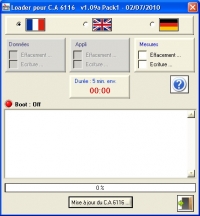
Download the latest version of the firmware for the C.A 6116 and take advantage of the very latest improvements.
This self-extracting archive contains 6 files. It can be used to install version 2.00.2/1.09.5.
Pack1 installs the languages: DE-GB-ES-FR-IT
(Deutsch, English, Español, Français, Italiano).
Pack3 installs the languages: PL-GB-CS-DE-SV
(Polski, English, Cestina, Deutsch, Svenska).
CAUTION: If you use the ICT or DataView PC software with your C.A 6116, please also upgrade those products (versions concerned: ICT version 1.02.0011 and DataView 3.06.)
These software products are available for download from our Support site in the "Free Software" section.
| reading_before_install.pdf | Date de mise à jour : 21/06/2012 Langue : Multilingue Version : V3. |
| install-loader_v2.1_for_c.a6116_v2.00.2_v1.09.5_pack1.zip | Date de mise à jour : 16/11/2012 Langue : Multilingue Version : V2.10 |
| install-loader_v2.1_for_c.a6116_v2.00.2_v1.09.5_pack3.zip | Date de mise à jour : 16/11/2012 Langue : Multilingue Version : V2.10 |
TransferView
Software for C.A 6030
This software can be used to recover the measurements stored in a C.A 6454 or C.A 6456 or C.A 6030 electrical installation tester and export them into EXCEL.
| logiciel_transferview.zip | Date de mise à jour : 16/05/2013 Langue : Français Version : v1.5 |
SX-DCOM v2.4 software
Latest version of SX-DCOM, compatible with the MX240 and MX2040 current clamps.
| Configuration |
| Your current clamps MX240 and MX2040. System
|
| sx-dcom_v2.4.zip | Date de mise à jour : 05/10/2010 Langue : Multilingue Version : V2.4 |
SimpleLogger I software
Processing software for the Simple Logger single-channel digital loggers (L100, L110, L205, L230, L260, L320, L401, L430, L600, L605, L610, L620 et L630), the C.A 601 logger-clamp and the C.A 605 and C.A 607 AmpFlex-core-loggers.
Very easy to install and use; no programming necessary.
- The statistics are displayed on-screen: Maximum, Minimum, Average, Date and Time
- Display of the recorded values
- Possibility of zooming with automatic updating of the statistics
- Annotation of texts
- Automatic display of the value pointed to by the cursor
Data export to spreadsheet or database - Printing of curves or lists (tabulated) of the values
- Copy-Paste the graphs into other applications
- Programmable scales and units for all DC loggers
- Automatic selection of the Simple Logger model
Simple Logger
Configuration required:
System: Windows® 98, Me, NT, 2000 or XP.
Hardware: PC with 486 processor or higher, 8 MB free on hard disk for the application aqnd 400 KB per recording. RS232C serial port.
Version v6.20 is ideal for all the logger models EXCEPT FOR THE SIMPLE LOGGER L215.
Version v6.01 proposed below is specific to the SimpleLogger L215 AEMC model.
| simplelogger_v620.zip | Date de mise à jour : 27/03/2006 Langue : Anglais Version : V6.20 |
| simplelogger_v601_l215only.zip | Date de mise à jour : 27/03/2006 Langue : Anglais Version : V6.20 |
C.A Transfer v3.1
The C.A TRANSFER software is an application running in the Microsoft Windows environment adapted for the F27 power and harmonics clamp.
Main functions
- Recovery of the measurements taken with an F27 clamp.
- Data acquisition by sampling from 1 min to 60 min.
- Digital and graphical display of the data.
- Possibility of printing out the different representations.
- Data export into EXCEL.
System
Windows 98, Windows NT, Windows 2000 , Windows Me , Windows XP or Windows Vista.
Hardware
PC
| setup_ca_tranfer3.1.zip | 15/01/2008 Langue : Anglais Version : V3.1 |
WattCom software
|
|||||||
|
|||||||
| setup_wattcom1.2.zip |
Emigraph v1.2
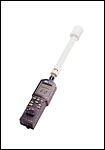
Delivered with the C.A 43, the EMIGRAPH software has been designed to optimize the capabilities of this field meter in terms of acquisition, viewing and display.
Acquisition. For dynamic tests, EMIGRAPH acquires the measurements from the C.A 43 at a rate of one point every 2 seconds. This allows you to record spot measurements and the trace in real time.
Viewing. EMIGRAPH manages the transfer and display of the points (min, max and average) stored by the C.A 43: this means it is possible to search quickly on the screen for random disturbances. Analysis of the details is facilitated by zooming.
Display. For EMC tests in an anechoic chamber or cell, when the C.A 43's display is not visible, Emigraph allows you to present the field meter display on your PC in full-screen mode.
System
- Windows XP/Vista/7/8/8.1/10.
- PC with 1 GHz processor or higher, 512 MB RAM, 4 GB HD equipped with a serial or USB port (with serial adapter).
Languages Version in 5 languages: English, German, Spanish, French and Italian.
| emigraph_v1.2.zip | Date de mise à jour : 17/09/2013 Langue : Multilingue Version : V1.2 |
RayCAm Report Standard
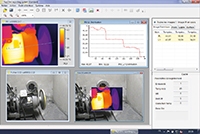
| RayCAm Report Standard v1.08.22S | |
|
The RayCAm Report Standard software is equipped with a very simple user interface allowing:
Versions 1.08.22S and higher are compatible with the following cameras: C.A 1877, C.A 1878, C.A 1882, C.A 1884, C.A 1886 and C.A 1888
System: Windows XP, Vista, 7, 8 and 10. Minimum configuration required: 512 MB RAM minimum, 700 MHz CPU minimum, NET Framework 2.0 minimum
|
| raycam-reporting-softwarestandardv1.08.22s.zip | Updated : 28/01/2016 Language : Multilingual Version : v1.08.22S |
GreenReport for FTV100
| GreenReport for FTV100 |
|
To download the software, click on the link below. Compatibility ; Windows 7, 8, 8.1 and 10 |
| pc_software_greenreport_v_4_6_1_fmp.zip | Updated : 27/09/2016 Language : Multilingual Version : V4.6.1 |
C.A 834 TestLink SE322
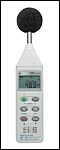
Bilingual French-English version of the TestLink SE322 software for the C.A 834 sound level meter-recorder.
This software makes it very simple to:
- recover the data from the measuring instrument
- collect the data in real time from the instrument currently connected to the PC
| Minimum configuration | |
|
Windows 98, 2000, XP, Vista, Seven, 8, 8.1 and 10 Minimum hardware requirements:
|
| se322_3.6.0.0.zip | Date de mise à jour : 04/09/2012 Langue : Multilingue Version : V3.6 |
GTT Ground Tester Transfer
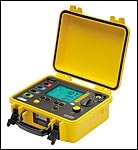
The GTT (Ground Tester Transfer) software can be used to control the C.A 6470, C.A 6471 and C.A 6472/74 earth testers.
GTT is a tool for:
- Configuring the instruments,
- Downloading and viewing the data stored in the memory,
- Performing instantaneous acquisition operations,
- Exporting the measurement data into DataView (*.dvb files) or into an Excel spreadsheet (*.csv or *.xls files).
Caution: DataView is not supplied with this version of GTT
| gtt_v1.05.0003.zip | Updated : Nov 2019 Language : Multilingual Version : V1.05.0003 |
MOT Micro Ohmmeter Transfer
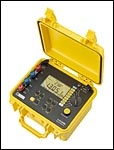
The MOT Micro-Ohmmeter Transfer software can be used to control the C.A 6240, C.A 6250, C.A 6255 and C.A 6292 micro-ohmmeters.
Main functions
The Micro-Ohmmeter Transfer software is a tool for:
- Configuring the instruments,
- Downloading and viewing the data stored in the memory,
- Exporting the measurement data into DataView or into a spreadsheet.
Caution: DataView is not supplied with the MOT software
| MOT_v1.07.0010 | |
| Software upgrade / optimization |
| mot_v1.07.0010.zip | Updated : Nov 2019 Language : Multilingual Version : V1.07.0010 |
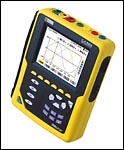
C.A 8332-8334 QUALISTAR
| Qualistar v3.0 | |
| Download the latest version of the firmware for Qualistar C.A 8332 or C.A 8334. To download this firmware, please click on the links below and refer to the "read-me first.txt" file included. Firmware 3.0 This software is available in two language sets.
|
| qualistar_firmware_3-0_fr-en-de-it-es-pt.zip | Date de mise à jour : 26/10/2004 Langue : Multilingue Version : V3.0 |
| qualistar_firmware_3-0_pl-en-nl-ro-cs-sv.zip | Date de mise à jour : 26/10/2004 Langue : Multilingue Version : V3.0 |
