












Software downloads
20 result(s) :
Firmware for the FTV200
| FTV200 v2.0.3 | |
|
To download the firmware, click on the link below and refer to the "read-me first.txt" file included. This firmware upgrade is compatible with all previous hardware versions higher than or equal to 2.x. This firmware upgrade is compatible with version V2.0.2 of the FTV200 software. |
| ftv200.v.2.0.3_fr.zip | Date de mise à jour : 13/09/2013 Langue : Multilingue Version : V2.0 |
| ftv200.v.2.0.3_en.zip | Date de mise à jour : 13/09/2013 Langue : Multilingue Version : V2.0 |
Software for FTV200
|
|||
| software_ftv200_v2.0.2_fr.zip | Date de mise à jour : 17/09/2013 Langue : Multilingue Version : V2.0.2 |
| software_ftv200_v2.0.2_en.zip | Date de mise à jour : 17/09/2013 Langue : Multilingue Version : V2.0.2 |
Firmware CPS7 - CPS10 - CPS15
Firmware for CPS7 CPS10 CPS15
This can be used to upgrade the software of the CPS7, CPS10 and CPS15 human-machine interfaces: CPS7 -CPS10-CPS15-V1.25 firmware.
Instructions for the upgrade are provided in the folder after downloading and unzipping it (Firmware update - FR - EN.pdf file).
The firmware must be the same version as the CPS Studio development software.
| firmware_cps7_cps10_cps15-v1.25.zip |
Firmware CPS4 - CPS7L
CPS4 - CPS7L firmware
Can be used to upgrade the software of the CPS4 and CPS7L human-machine interfaces.
Firmware CPS4 CPS7L-V1.25
Instructions for the upgrade are provided in the folder after downloading and unzipping it (Firmware update - FR - EN.pdf file).
The firmware must be the same version as the CPS STudio development software.
| firmware_cps4_cps7l-v1.25.zip |
Observer I
Observer I can be used to configure the C.A 650 digital recorder and import the recorded data.
Communication with the PC can be established either via an Ethernet link or via an RS230 or RS485/RS422 link or USB Compact Flash.
To upgrade the Observer II software (Real Time function ), please contact the PYRO-CONTROLE Sales Department (Tel. (33) 4 72 14 15 40 / info@pyro-controle.tm.fr)
Observer I for C.A 650
Observer I can be used to import the data stored in the C.A 650 PYROTRACER VIDEO digital recorder.
This version improves the functions in the Configuration + History module.
It allows users to modify the meanings of the alarms.
It also helps to improve the Zoom functions and the curve colours.
N.B: the firmware must have the same upgrade index as the Observer software.
| observer_i_v2.37_setup.zip | Observer I, version 2.37 |
Firmware C.A 650
For upgrading the firmware of your C.A 650 PYROTRACER VIDEO digital recorder. The Observer software must have the same upgrade index as the firmware.
Firmware v2.37
Instructions for the upgrade are provided in the folder after downlading and unzipping it (CA650_Firmware_update.pdf file). The firmware (image file) must be installed in the recorder by means of Compact Flash memory.
Required configuration
System: Windows 98SE, NT, 2000, Me or XP.
Hardware: PC with 200 MHz processor minimum, 64 MB RAM, 100 MB of free hard-disk space. USB port for Compact Flash 16MB minimum.
Version V2.37 definitively corrects the following faults:
Improves the accuracy of the real-time clock.
Allows users to change the meanings of the alarm relays.
From Firmware V2.37, the CA650 becomes compatible with PyroDAQ software
| ca650_firmware_v2-37.zip |
STATOP Tools
STATOP Tools configuration software
The "STATOP Tools" configuration software is designed for Series 15, 30 and 60 of the STATOP digital controllers from PYROCONTROLE:
Series 15: STATOP 24-15, STATOP 48-15
Series 30: STATOP 48-30, STATOP 4896-30, STATOP 96-30
Series 60: STATOP 24-60, STATOP 48-60, STATOP 4896-60, STATOP 96-60
Up to 10 controllers can be connected to dialogue with the PC
Secure protocol (Modbus)
Configuration of the parameters and storage as files.
Automatic recognition of the type of controller.
| statop_tools_setup_v1.61.zip |
STATOP Comm4851
The COMM4851 software allows communication via an RS485 link using the proprietary MODBUS RTU protocol.
The COMM 4851 software is designed for the STATOP 2449, STATOP 4850, STATOP 4897 or STATOP 4899, STATOP 9625 or STATOP 9635 controllers from PYROCONTROLE.
| pet_com4851.zip |
Qual-SRT & Qual-View
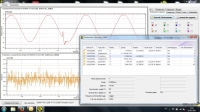
Software for configuration, real-time display and analysis for measurement campaigns with MAP607 and MAP COMPACT network analyzers
The Qual-SRT software can be used for configuration and real-time display on the MAP607:
- Measurements from the MAP607's two channels
- The number of voltage dips / overvoltages / long outages / brief outages / transients recorded
- Global status of the last EN50160 report
- Memory occupation rate
- Equipment date and time
Dynamic views are also available: graph of trends (logger-type view) and harmonics bargraph up to 50th order. Thanks to the self-declaring ultra-fast USB2.0 link, this module can also be used for near-instantaneous data recovery and deletion of the data in the equipment.
The Qual-SRTc software can be used for configuration and real-time display on MAP COMPACT:
- Measurements of electrical parameters with display of Fresnel diagram and harmonics bargraph
- Total of the active, reactive and apparent energy indices
- Memory occupation rate
- Equipment date and time
The Qual-View software is the analysis and report generation tool for MAP COMPACT and MAP607:
It offers a veiw of all the trend curves generatedby the equipment, with the possibility of zooming and graphical display of the limits of the qualimetric template for each parameter.
Event-related views with the event signature, waveform and time/date-stamped events log are also available via dedicated tabs in Qual-View.
| setupqualsrt_v1.1.5.13.zip | |
| setupqualsrtc_v1.2.6.1.zip | |
| setupqualview_v1.3.6.16.zip |
TRIADJUST2

TRIAD2 configuration software
TRIADJUST 2 can be used for:
Configuration
– Inputs (define the CTs, the VTs, connection diagram, etc.)
– Outputs (define the different channels, transfer functions, class, etc.)
– Communication
Diagnostics
– Voltage inputs
– Current inputs
– Wiring
– Phase sequence
– Analog outputs
– Fresnel diagram
Views
– Instantaneous quantities (in digital or analog form)
Recordings
– In real time in exported file
| tradjust2_1_2_0_0.rar |
ELOG Excel Macro
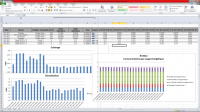
Remote data retrieval and analysis application for the data from ELOG.
The excel macro for ELOG allows you to use the standard excel spreadsheet software (version 2010 or 2013) for quick and easy processing of the recordings from ELOG.
Users can retrieve, display and analyze the data recorded on the metering and measuring equipment connected to an ELOG.
The application can be used to:
- connect remotely to an ELOG by means of its IP address
- view and select all or some of the variables recorded
- retrieve the recorded data and present them in a table (recording date and time / value)
- produce an analytical table of the data (calculation of hourly or daily values)
- produce pre-configured graphs for analysis of the recordings
From the Excel spreadsheet, it is easy for users to:
- modify the tables and graphs
- customize presentation of the results
- export the data in .txt, .csv, .xls or other format for third-party applications
The code of the Excel macro is open-source, so any user can freely upgrade or modify it.
| macro_v1.0_elog_release_5.xlsm_.zip |
Easy PDM-4AI
Configuration software for PDM-4AI modules
Easy PDM-4AI is made for PDM-4AI modules settings.
On line / off line settings
Saving parameters on PC
copying settings
on line testing
| pdm-4ai_v1.07.zip |
Easy PDM-8AI
Configuration software for PDM-8AI modules
Easy PDM-8AI is made for PDM-8AI modules settings.
On line / off line settings
Saving parameters on PC
copying settings
on line testing
| pdm-8ai_v1.08.zip |
Easy PDM-4TC
Configuration software for PDM-4TC modules
Easy PDM-4TC is made for PDM-4TC modules settings.
On line / off line settings
Saving parameters on PC
copying settings
on line testing
| pdm-4tc_v1.03.zip |
Easy PDM-8TC
Configuration software for PDM-8TC modules
Easy PDM-8TC is made for PDM-8TC modules settings.
On line / off line settings
Saving parameters on PC
copying settings
on line testing
| pdm-8tc_v1.05.zip |
Easy PDM-4RTD
Configuration software for PDM-4RTD modules
Easy PDM-4RTD is made for PDM-4RTD modules settings.
On line / off line settings
Saving parameters on PC
copying settings
on line testing
| pdm_4rtd_v1.06.zip |
Easy PDM-10DO
Configuration software for PDM-10DO modules
Easy PDM-10DO is made for PDM-10DO modules settings.
On line / off line settings
Saving parameters on PC
copying settings
on line testing
| pdm-10do_v1.1.zip |
Easy PDM-5RO
Configuration software for PDM-5RO modules
Easy PDM-5RO is made for PDM-5RO modules settings.
On line / off line settings
Saving parameters on PC
copying settings
on line testing
| pdm_5ro_v1.05.zip |
Easy PDM-DIO
Configuration software for PDM-DIO modules
Easy PDM-DIO is made for PDM-DIO modules settings.
On line / off line settings
Saving parameters on PC
copying settings
on line testing
| pdm_dio_v1.06.zip |
Easy PDM-ETH
Configuration software for PDM-ETH modules
Easy PDM-ETH is made for PDM-ETH modules settings.
On line / off line settings
Saving parameters on PC
copying settings
on line testing
| pdm-eth_v1.06.zip |
